I’m discovering the Ai integration in CM 1.2 and have a few questions.
I connected a Claude Sonnet 4.6 API key and enabled Ai Features + Ai Agent.
No Vision / Image Provider is added.
When working in the chat, i can add an image (screenshot to expose info) via an ‘Upload’ button close to the prompt field but it’s not uploaded to the chat, why is that?
I asked Claude to create a simple PHP shortcode and add it to a CM snippet field that was opened in the same window. It wasn’t possible because “No Abilities Available”, i had to copy-paste the shortcode manually, is that the expected behaviour in CM?
For a simple short text chat, Claude spent 13K input and 2K output tokens which seems huge. Is there a way to limit the expense without sacrifying quality?
A few exchanges later in Claude chat: 46K input / 3.3K output
In my Claude Console, caching seems disabled:
You are not using prompt caching.
Add a cache_control block to your requests to reuse expensive context. Most organizations see a 50–90% reduction in entry costs.
Would it help saving tokens?
Is it to enable at the CM plugin’s level or in Claude account?
How to proceed?
[EDIT] Claude answer:
Where do you enable it? In the Classic Monks plugin settings, not in the Anthropic Console. The Console only informs you that you’re not using it—the application (the plugin) must add the cache_control blocks to its API requests.
→ Look for a “Prompt Caching” option in the Classic Monks settings or open a support ticket to ask if it’s implemented.
Hey @avanti really appreciate you sharing this, especially catching that prompt caching wasn’t active. That one detail is a huge help.
We’re already working on implementing it. The cache_control blocks need to be set on our end in the API requests, not through the Console so that’s on us to fix. Once it’s in, you should see a solid drop in those input token counts, especially after the first message or two in a conversation.
Will keep you posted when the update is out. Thanks again for digging into this!
Hi @joy, thanks for the update.
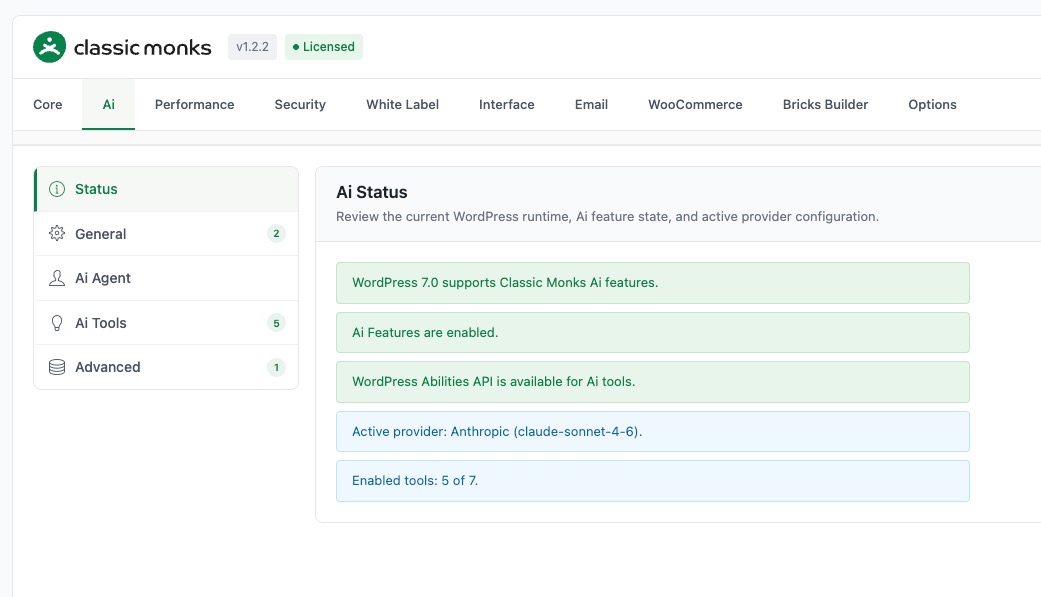
I can confirm my Claude connection works fine via API key now in CM 1.2.2
Set on claude-sonnet-4-6
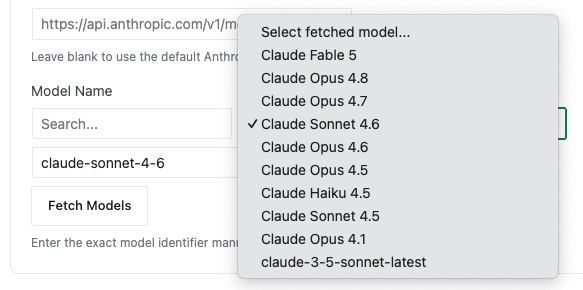
claude-3-5-sonnet-latest returns an error, it shouldn’t be proposed in the models dropdown IMO.
Same with Fable 5.
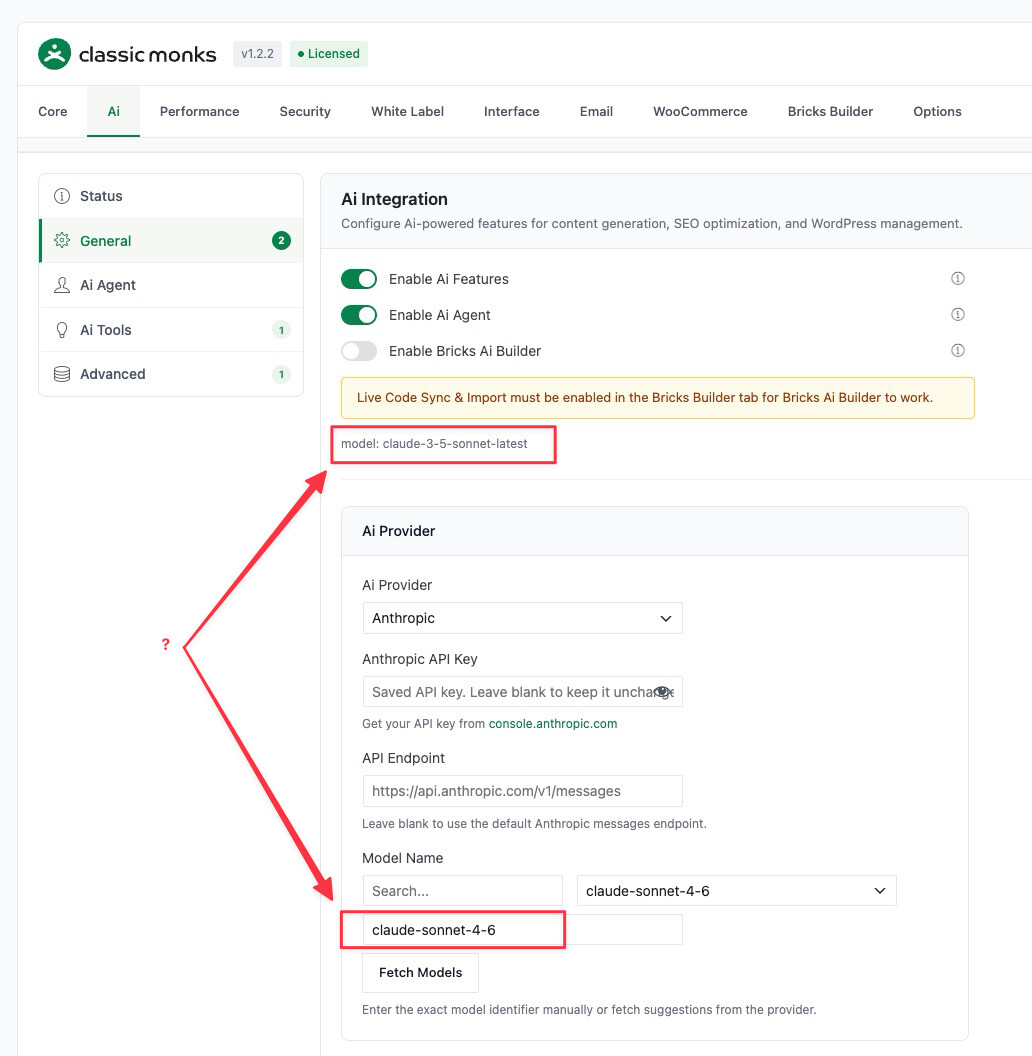
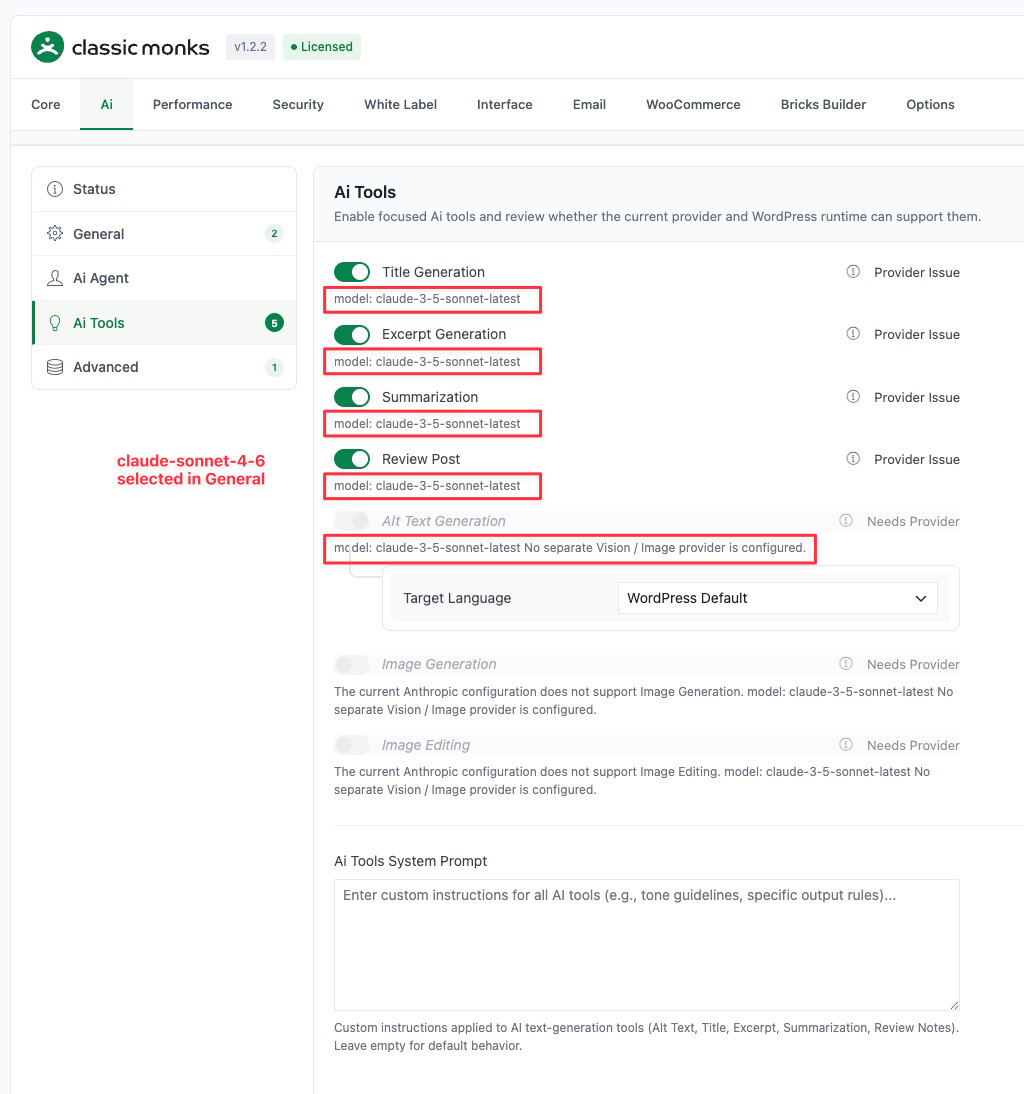
[EDIT] Ah no, only the chat works fine, all other functions are stuck on claude-3-5-sonnet-latest and don’t work. I tried to disable/enable CM AI, not better… pretty messy.
You’re right that selecting those models throws errors. The models list is fetched dynamically from Anthropic’s API, so deprecated or renamed endpoints sometimes remain in the response temporarily. We don’t hardcode a static list because that would require us to ship an update every time Anthropic changes their model lineup. The trade-off is that stale endpoints can appear in the dropdown for a short window.
Regarding non-chat functions being stuck on claude-3-5-sonnet-latest
Confirmed. This is a bug where non-chat functions are still holding a cached reference to the old model string. Disabling and re-enabling the module won’t clear it because the model reference is stored in a separate transient. I’m shipping a patch today (likely 1.2.3) that forces a reset of the model selection on all function types.
I should have caught this stale reference in testing. Let me know if the patch doesn’t resolve it.